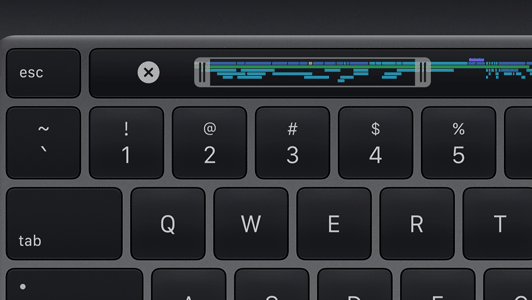
Before I moved onto my current 16" MacBook Pro with an M4 Pro, I used to daily drive the 4-port variant of the 2020 13" MacBook Pro. Being the last model of Intel Mac ever produced, it obviously became a hot mess (literally! the idle temperature was 80ºC) which is why I made the move. One thing I did miss however, was the Touch Bar.
For the uninitiated, from 2016 to 2020, certain Mac notebooks ditched the standard function row for a small touchscreen OLED, which could change its software buttons and controls based on the context of the current app. This choice quickly became a controversial one with many power users complaining that it ruined muscle memory. This concern was actually addressed in the Touch Bar's original implementation, with an always-present software escape key (which was later replaced with a physical one in the 2019 and 2020 models to create a very nice hybrid approach) and the ability to display the classic function keys instead of the app-dependent controls.
Now, I actually used the app-dependent mode, and I actually quite liked it! It was really useful in apps that supported it, and didn't really get in the way when I didn't need it. There was an option to change the mode on a per-app basis, so when I used an app that didn't support the Touch Bar and made heavy use of the function keys, I could force it to display those keys all the time.
In the end, I did end up adjusting to the return to hardware keys on my new MacBook. But something inside me still yearns for that, even if unorthodox, cool little differentiating feature.
